

Query Management
Save and organize multiple JQL queries for quick access.
Creating Queries
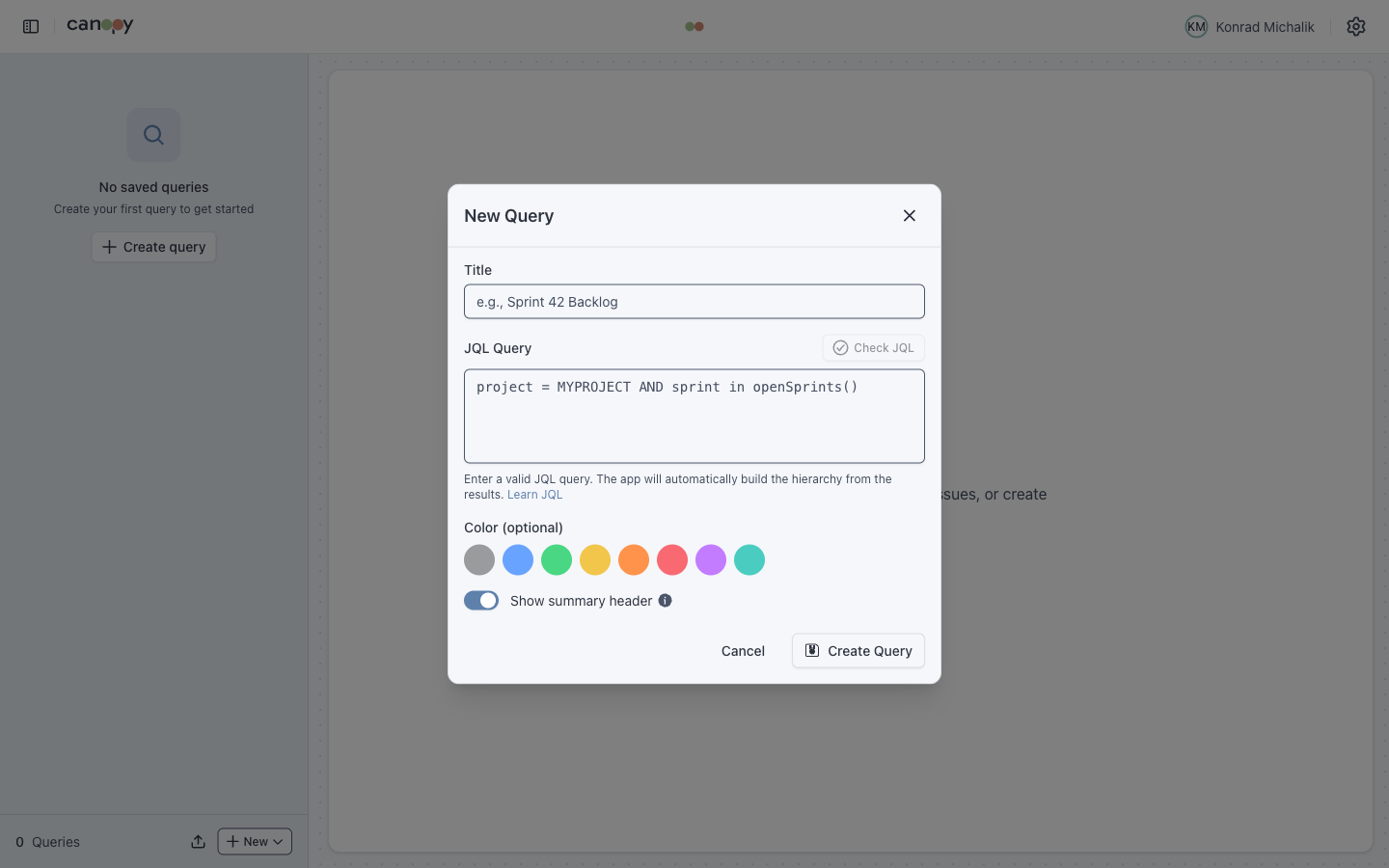
- Click Create query or the New button in the sidebar
- Enter a Title for the query
- Write your JQL query
- Optionally select a Color for visual distinction
- Optionally toggle Show summary header for an issue count header
- Click Create Query
Query Features
| Feature | Description |
|---|---|
| Custom Title | Descriptive name for the query |
| Color Coding | Visual identification in the sidebar |
| Issue Count | Cached count displayed next to query name |
| URL Slugs | Shareable URLs based on query title |
| Active Query | Currently selected query is highlighted |
| Connection Badge | Shows which Jira instance a query belongs to (smart visibility) |
| Dynamic Page Title | Browser tab shows current query name |
Connection Badges
When using multiple Jira connections, queries display a badge indicating which instance they belong to. To reduce visual noise, badges use smart visibility:
- Single connection — no badges shown
- Multiple connections, same type (e.g., all "Server") — no badges shown
- Mixed connections — only the minority gets a badge (e.g., 7 Server + 1 Cloud → only the Cloud query shows a "Cloud" badge)
This keeps the sidebar clean while still highlighting queries that belong to a different instance than the majority.
Query Actions
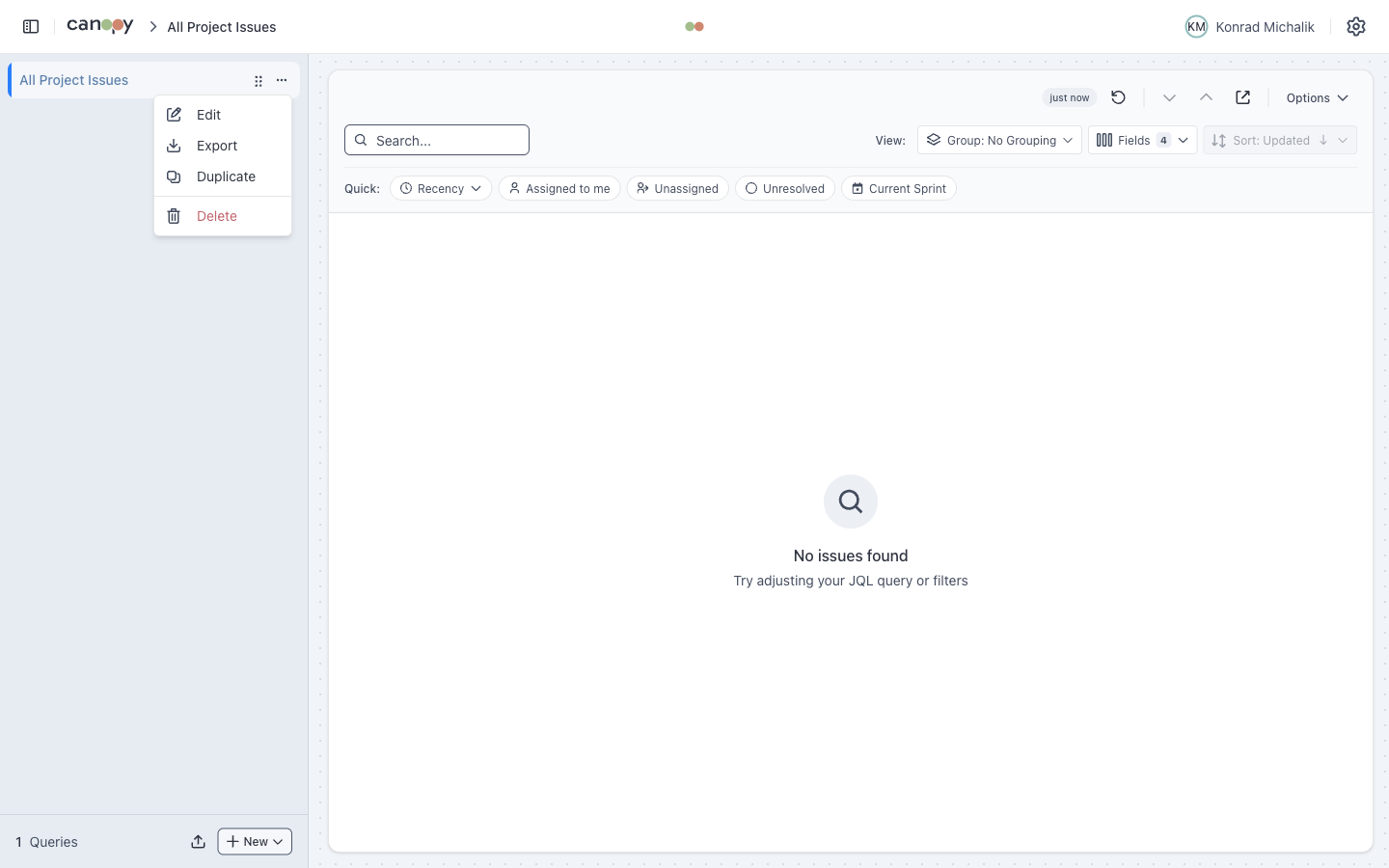
Use the context menu (three-dot icon) on a query:
| Action | Description |
|---|---|
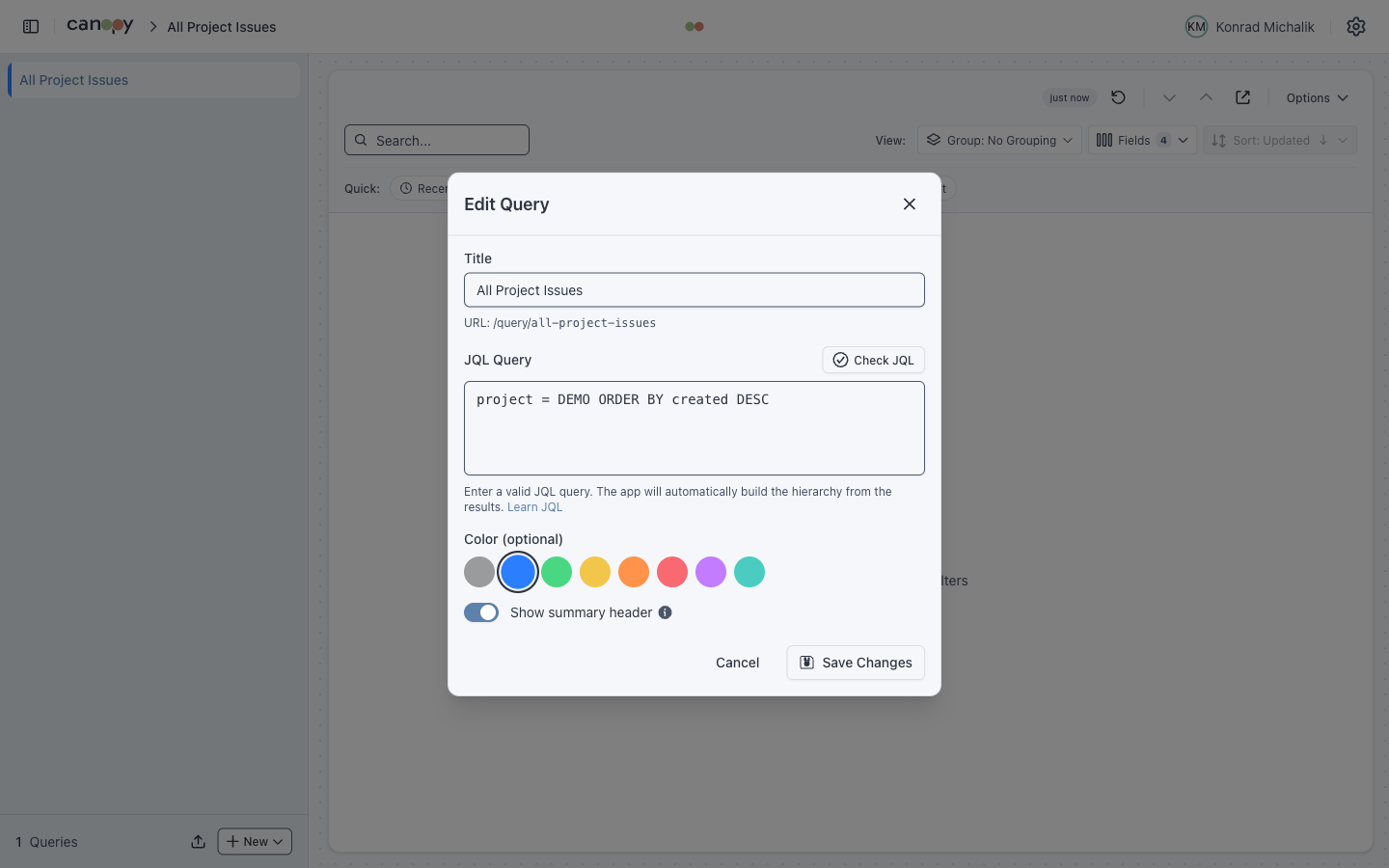
| Edit | Modify title, JQL, color, or summary header |
| Export | Export query configuration |
| Duplicate | Create a copy with unique title |
| Delete | Remove with confirmation dialog |
| Reorder | Drag to reorder in sidebar |
JQL Examples
Sprint-based Queries
sql
-- Current sprint issues
project = "MYPROJECT" AND sprint in openSprints()

-- Specific sprint
project = "MYPROJECT" AND sprint = "Sprint 42"

-- Backlog (no sprint assigned)
project = "MYPROJECT" AND sprint is EMPTYTeam Queries
sql
-- My open issues
assignee = currentUser() AND resolution is EMPTY

-- Team's in-progress work
project = "MYPROJECT" AND status = "In Progress"

-- Unassigned issues
project = "MYPROJECT" AND assignee is EMPTYTime-based Queries
sql
-- Updated this week
project = "MYPROJECT" AND updated >= -7d

-- Created today
project = "MYPROJECT" AND created >= startOfDay()

-- Overdue issues
project = "MYPROJECT" AND duedate < now() AND resolution is EMPTYQuery Separators
Organize your queries with visual separators:
Adding Separators
- Click Add Separator in the sidebar
- Optionally enter a title (e.g., "Sprint Queries", "Team Queries")
- The separator appears in the list
Managing Separators
- Drag to reorder separators like queries
- Edit to change or add a title
- Delete to remove
Example organization:
📁 Sprint Queries
   Current Sprint
   Sprint Backlog

📁 Team Queries
   My Issues
   Team Overview
UnassignedURL-based Query Selection
Queries generate URL slugs from their titles:
- Query "Current Sprint" →
/current-sprint - Query "My Open Issues" →
/my-open-issues
Share these URLs with team members (they'll need their own Jira credentials).
Query Persistence
All queries are stored in localStorage and persist across sessions:
- Query titles and JQL
- Colors and order
- Separators and their positions
- Issue counts (cached)
Use Import/Export to backup or share your query configuration.