

Filtering
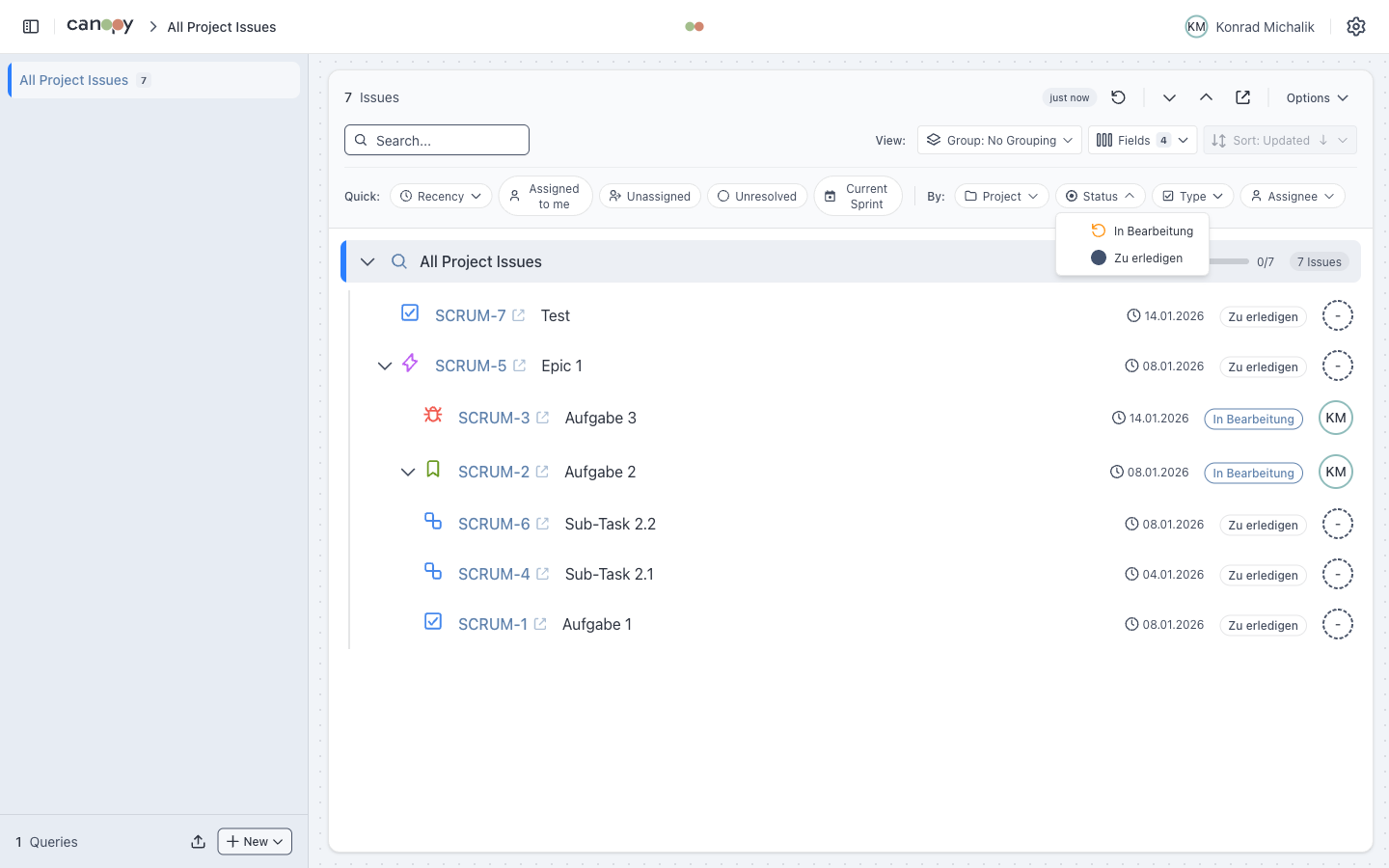
Canopy provides multiple filtering mechanisms to help you find the issues you need.
Quick Filters
Pre-defined filters for common use cases:
| Filter | JQL Equivalent |
|---|---|
| Assigned to me | assignee = currentUser() |
| Unassigned | assignee is EMPTY |
| Unresolved | resolution is EMPTY |
| Current Sprint | sprint in openSprints() |
Click a quick filter to toggle it on/off.
Dynamic Filters
Automatically generated from loaded issues. These adapt to your query results.
| Filter Type | Description |
|---|---|
| Status | All statuses in current results (color-coded badges) |
| Issue Type | All issue types with Jira icons |
| Assignee | Team members with avatars |
| Priority | Priority levels with Jira icons |
| Resolution | Resolution types |
| Components | Project components |
| Fix Versions | Version labels |
Recency Filters
Filter by recent activity:
| Filter | Description |
|---|---|
| Recently Created | Created in the last 7 days |
| Recently Updated | Updated in the last 7 days |
| Recently Commented | Commented in the last 7 days |
Text Search
Search issues by key or summary with partial matching:
- Type
127to findPROJECT-127 - Type
loginto find issues with "login" in the summary
Filter Logic
Filters are combined using the following rules:
- Filters within the same category are combined with OR
- Filters from different categories are combined with AND
Example: Selecting "In Progress" + "In Review" (status) AND "High" (priority) shows issues that are:
(In Progress OR In Review) AND High prioritySaved Quick Filters
Save your current filter combination as a reusable preset.
Creating a Saved Filter
- Apply desired filters (Quick Filters, Dynamic Filters, Recency, Search)
- Click Save > As Quickfilter
- Enter a name and optionally select an icon
- The saved filter appears as a pill above the filter bar
Managing Saved Filters
| Action | Description |
|---|---|
| Click | Toggle filter on/off |
| Drag | Reorder via drag handle |
| Edit | Rename or change icon via dropdown menu |
| Delete | Remove with confirmation |
INFO
Saved Quick Filters are stored per query and persist across sessions.
Filter Persistence
Active filters are automatically saved per query and restored when switching between queries.
Collapsible Filter Section
The filter section can be collapsed to maximize tree view space. State is persisted across sessions.