

Settings
Weekly Hours
Define your expected working hours per weekday. This is used to calculate the target/actual comparison in the timeline.
| Setting | Default |
|---|---|
| Monday – Friday | 8.0 h |
| Saturday – Sunday | 0.0 h |
INFO
When Personio is connected, weekly hours are synced automatically from your work schedule and manual editing is disabled.
Absences
Mark days as absent (vacation, sick, etc.) to adjust the daily target to zero. This prevents those days from showing as "under-booked."
INFO
When Personio is connected, absences are imported automatically and manual editing is disabled. Public holidays are imported from Moco, not Personio.
Presence Management
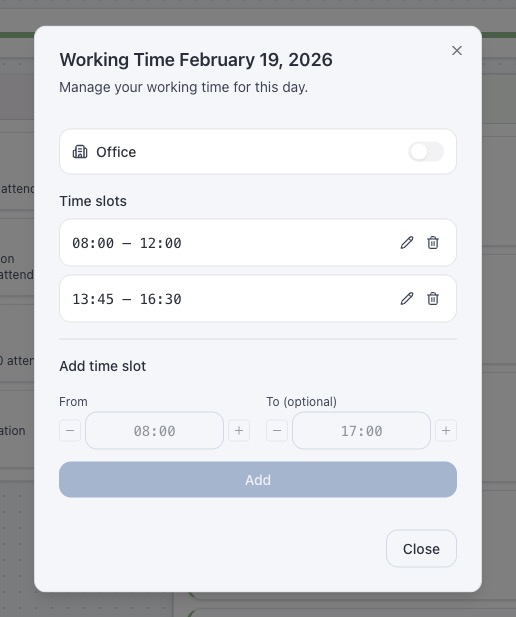
When Moco is connected, roots tracks your working time (clock-in/clock-out) via the Presence Bar in the timeline header. Click the bar to open the Presence Modal where you can:
- Add time slots — enter start and end times for a working period
- Edit time slots — adjust start/end times of existing entries
- Delete time slots — remove individual presence entries
- Toggle Home Office — mark the day as home office or office
Presence data is cached for 5 minutes with the same TTL as time entries.
Features
Toggle optional features on or off under Settings > Features.
| Setting | Default | Description |
|---|---|---|
| Favorites | On | Show the favorites section in the sidebar |
| Smart Suggestions | On | Suggest project and task based on recent bookings when creating Moco entries from Jira or Outlook |
| Quick Selection | On | Show frequently used project+task combinations in the booking modal |
Both Smart Suggestions and Quick Selection sections in the booking modal are independently collapsible — the collapsed state is remembered across sessions.
Auto-Refresh
Configure automatic data refresh to keep the timeline up to date without manual reloading.
| Interval | Description |
|---|---|
| Off | No automatic refresh (default) |
| 5 min | Refresh every 5 minutes |
| 30 min | Refresh every 30 minutes |
| 1 hour | Refresh every hour |
Auto-refresh reloads the current day's entries from all connected services. It skips the refresh if data is already loading.
Theme
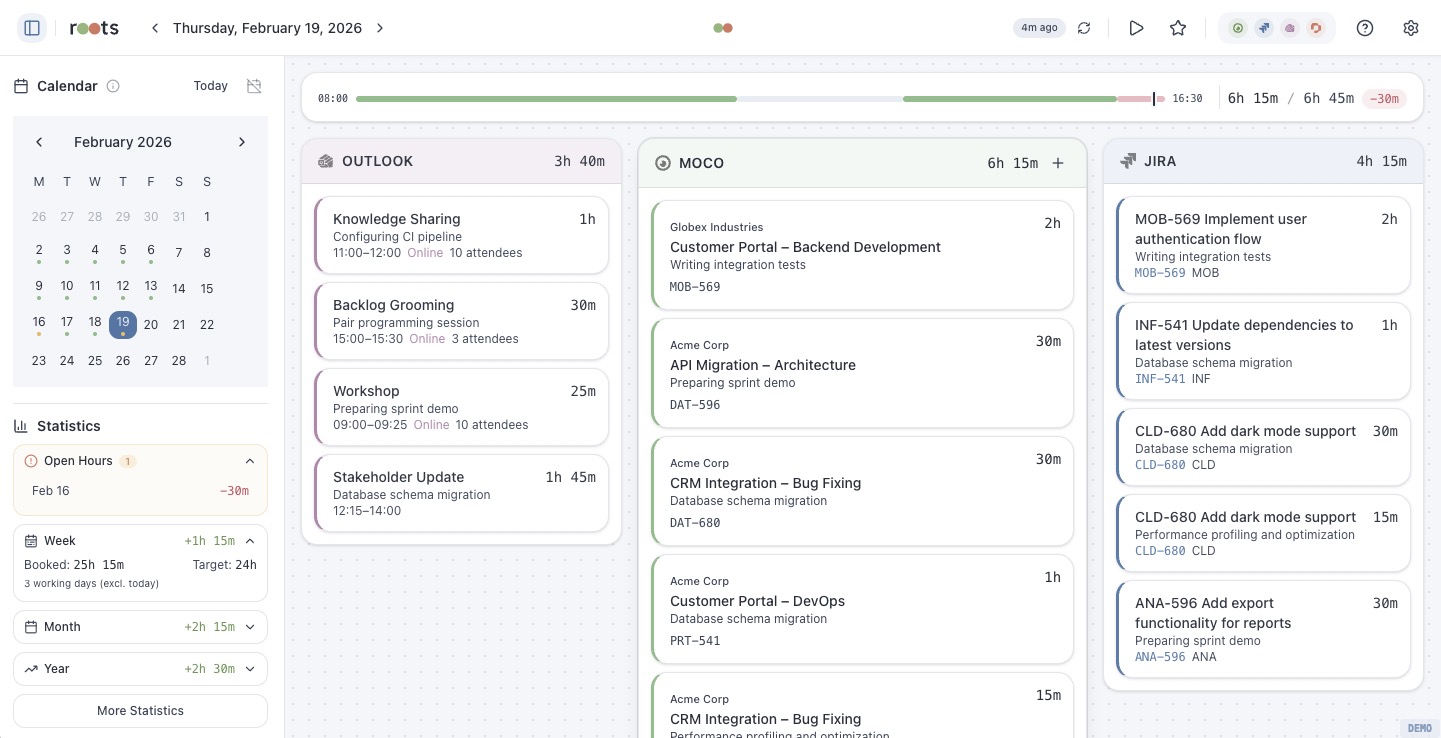
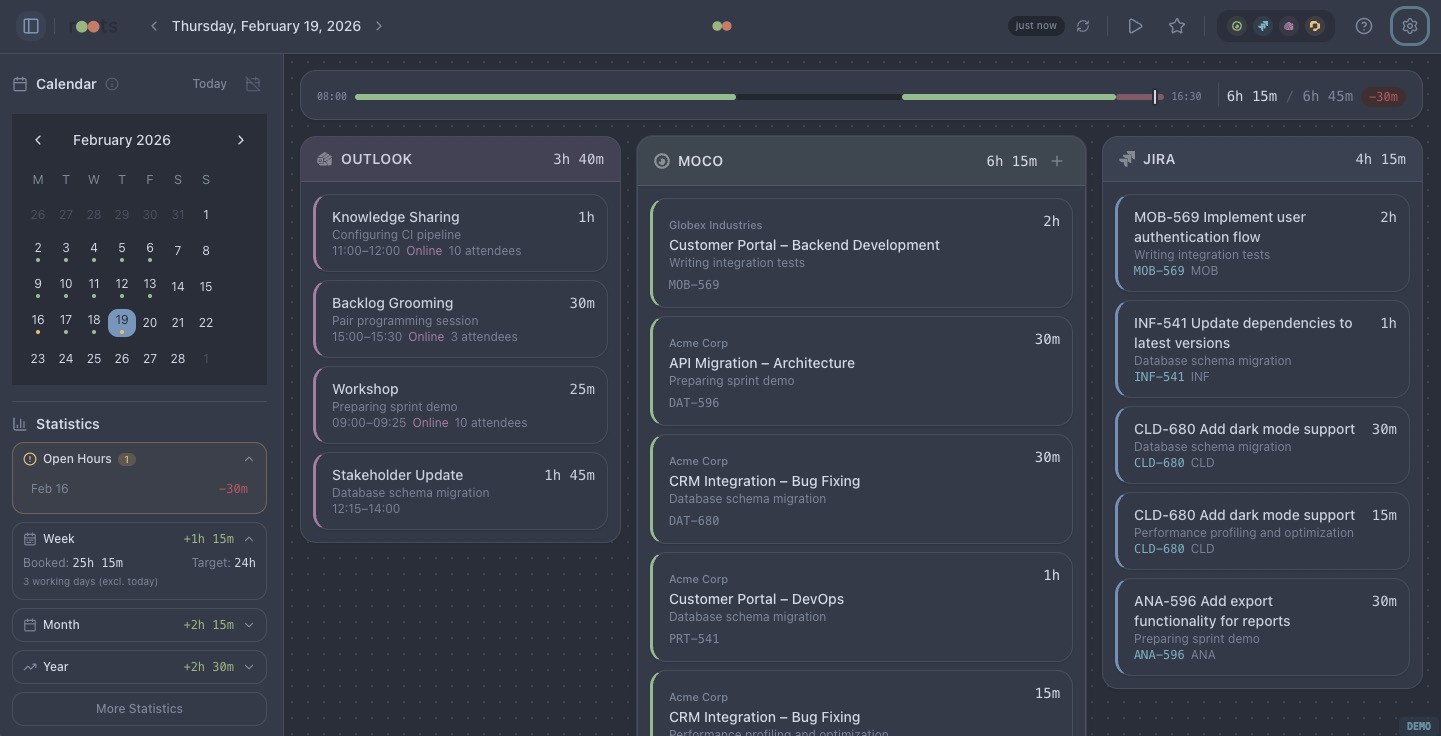
roots supports light and dark themes. The theme follows your system preference by default and can be overridden in settings.
| Light | Dark |
|---|---|
 |  |
Data Storage
All data is stored locally:
| Data | Desktop | Browser |
|---|---|---|
| Credentials | Tauri secure store | localStorage |
| Settings | Tauri secure store | localStorage |
| Cached entries | In-memory (per session) | In-memory (per session) |
| Timer state | Tauri secure store | localStorage |
| Drafts | Tauri secure store | localStorage |
| Presence cache | Tauri secure store | localStorage |
Storage keys are prefixed with roots: to avoid conflicts.
Clearing Data
To reset roots to its initial state, disconnect all services and clear the browser storage (or delete settings.json from the Tauri data directory).