Web pages
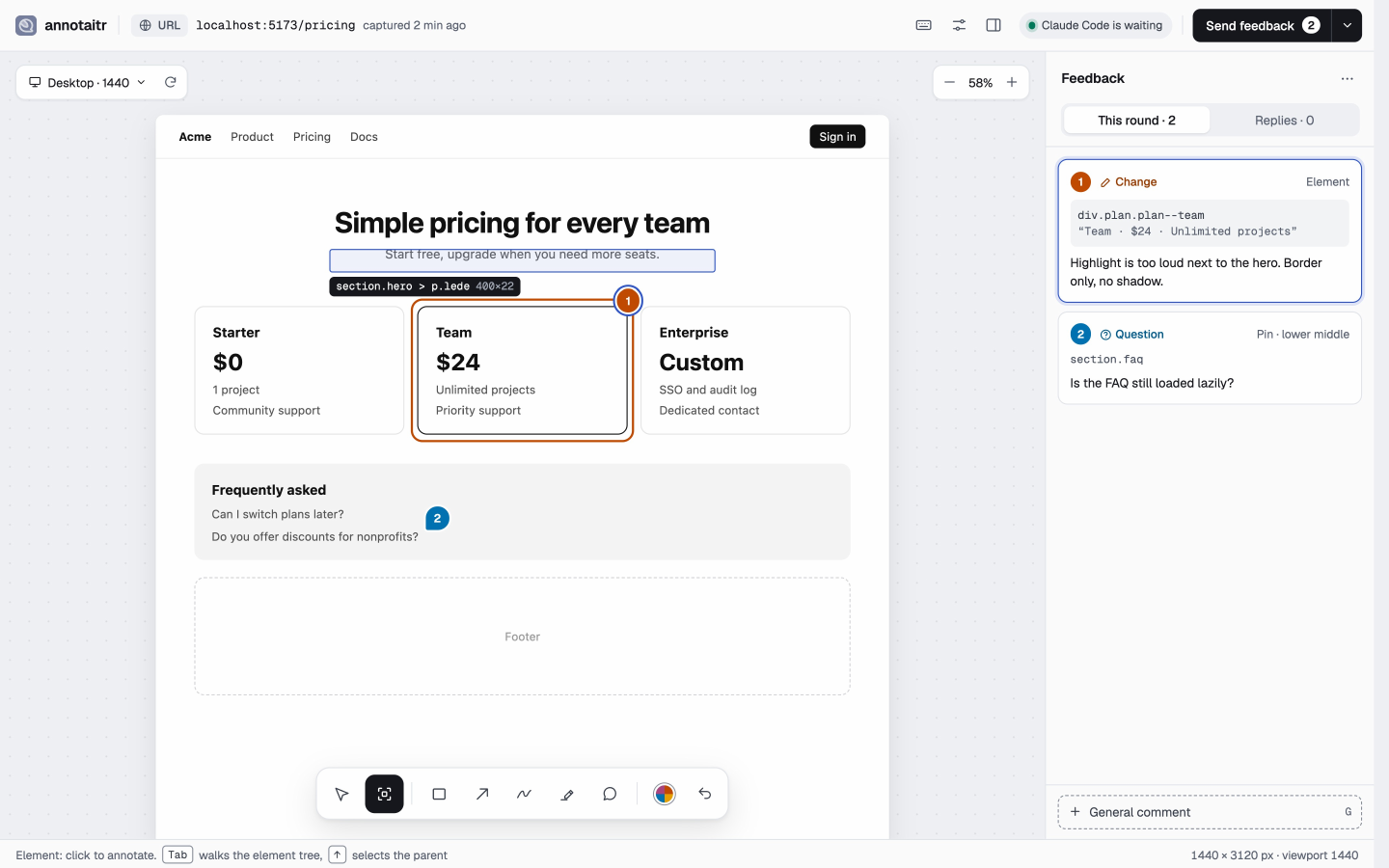
Capture any URL at a chosen viewport. The Element tool picks a part of the page straight off the screenshot, and the feedback names the element so the agent finds it in the source.

annotaitr opens an image, a web page, a video, a PDF or a Markdown file in your browser. You mark it up. The agent receives numbered, structured feedback it can act on, instead of pixel coordinates and line numbers you typed by hand.
Saying "this, right here" is easy for you and impossible for a model. annotaitr closes that gap in three steps.
When the agent has something for you to judge, it calls annotaitr. Your browser opens with the screenshot, page, recording, PDF or document.
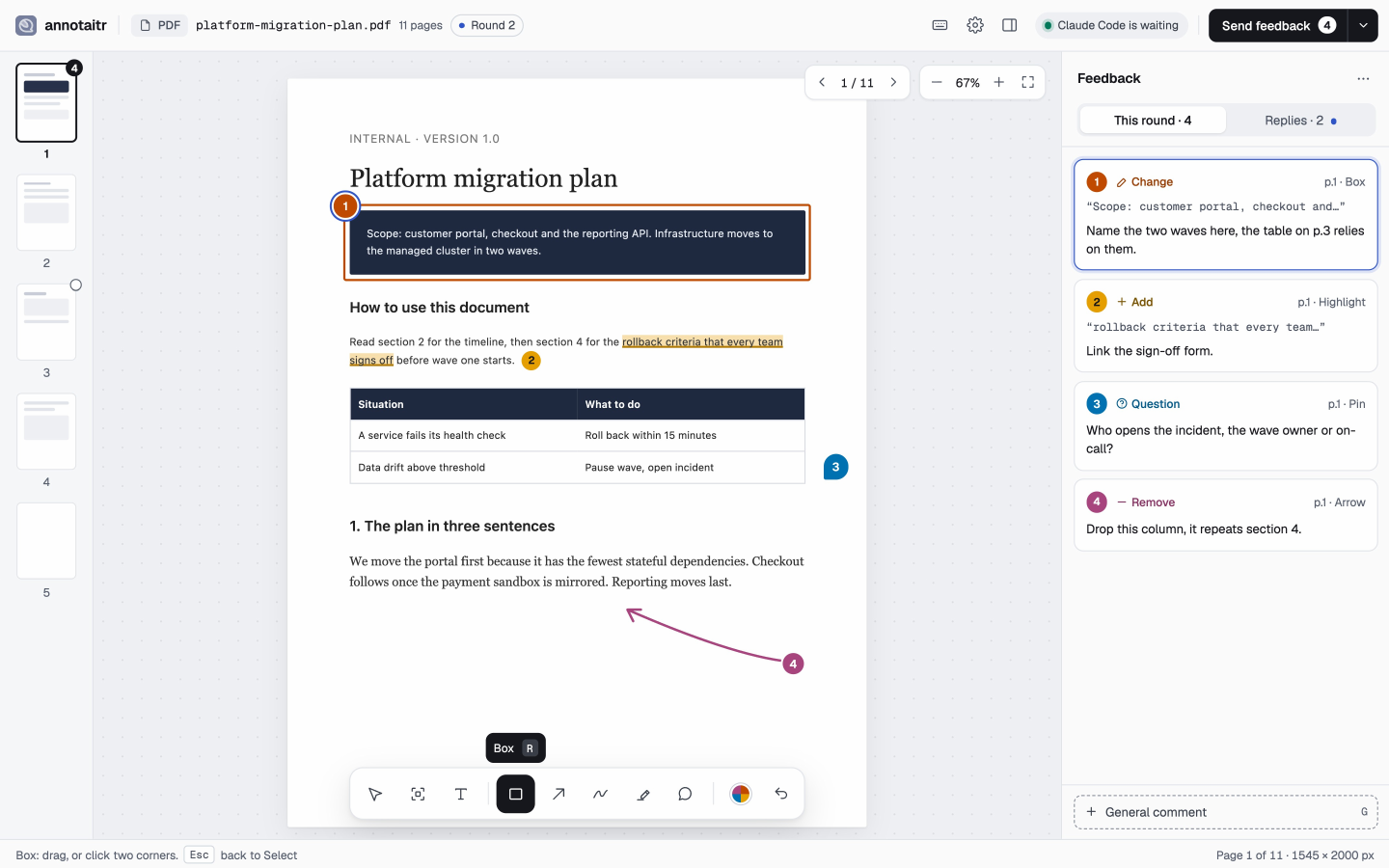
Draw boxes and arrows, drop pins, select text, or pick an element straight off a captured page. Add a comment where it helps.
The agent gets each note with its number, your words and position, and reopens the annotator for another round until you approve.
Draw a box, type what you mean. Each mark becomes a numbered note, and each note becomes a line in the agent's feedback.
No type to pick before you write. Change this, add that, why is it like this: the agent reads it from your words. Only a removal is its own kind, so a cut is never mistaken for a comment.
Select, start typing, ⌘↵. A fix, an addition or a question, all in your own words.
Press ⌫ before typing and the selection is struck out for the agent to take out.
Each note takes the next of four colours, so neighbours never look alike. Mark and card share number and colour.
The mode is detected from what you open, and before a commit the agent walks you through its changes. Tools, notes and the decision work the same way in all of them.
Capture any URL at a chosen viewport. The Element tool picks a part of the page straight off the screenshot, and the feedback names the element so the agent finds it in the source.
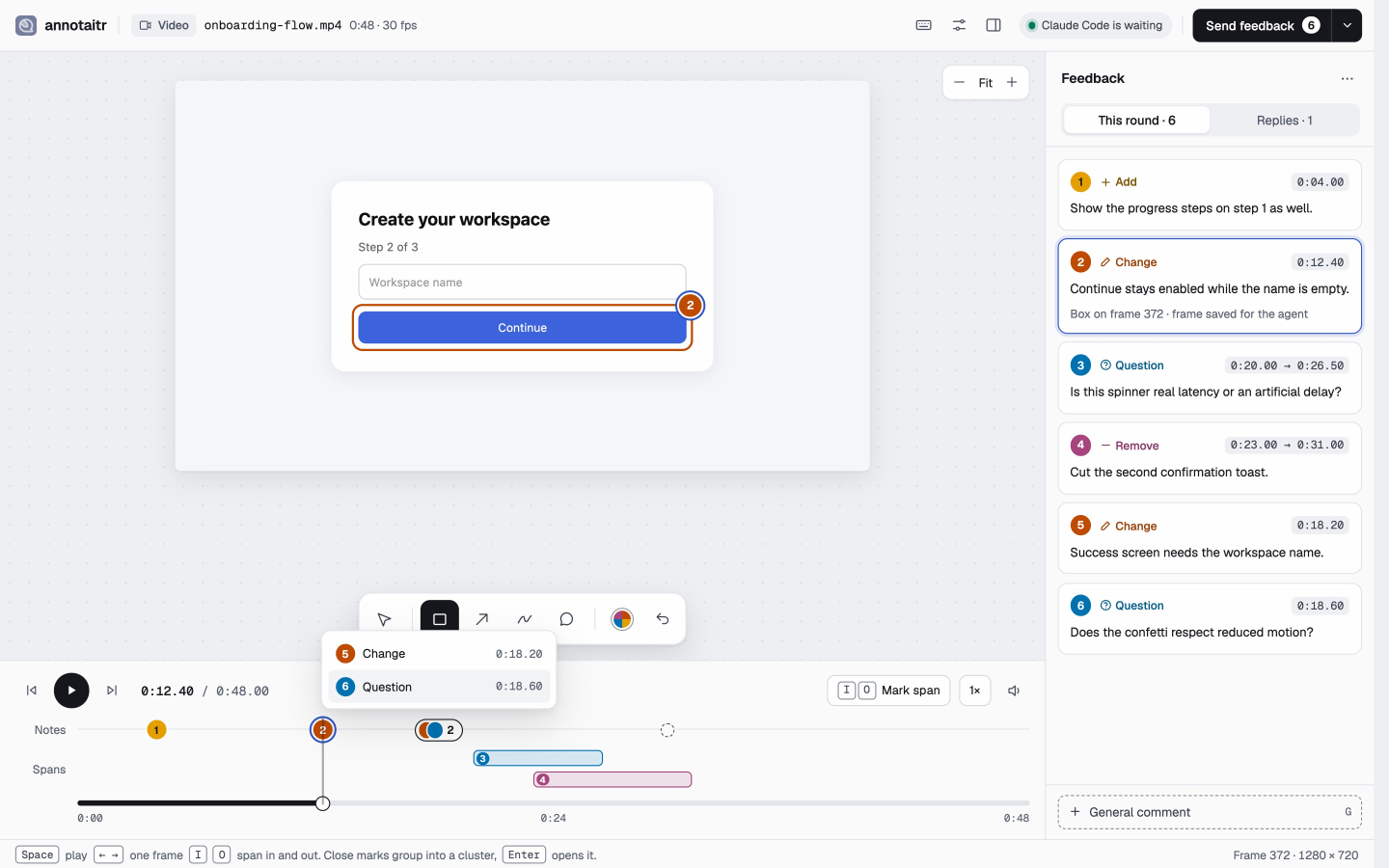
Annotate a screen recording as single moments or spans. The agent gets each annotated frame, a strip per span and an overview.
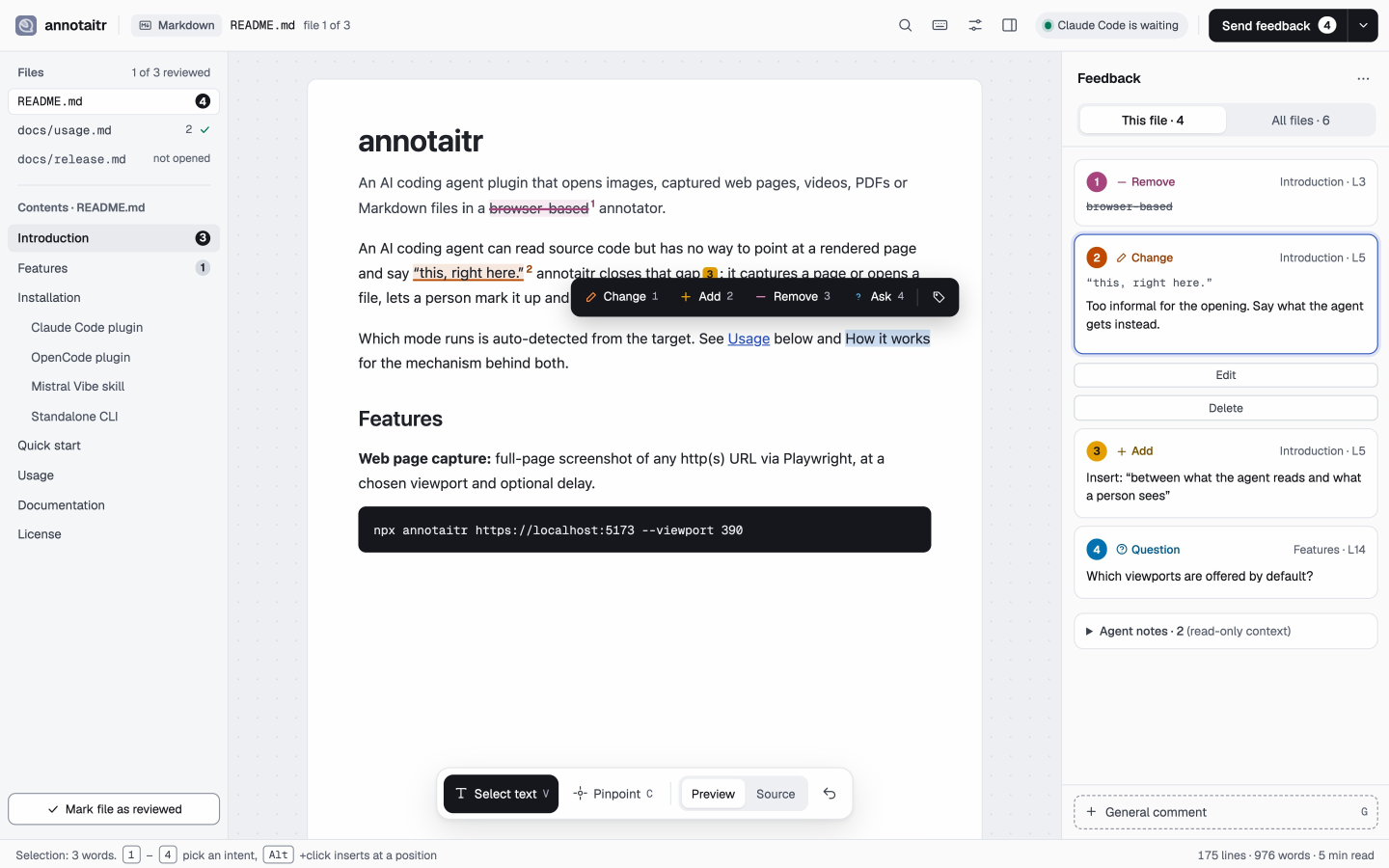
Select text and type a comment, or strike it out for removal. Review several files in one session, with a Files overview that shows what you have read. Mermaid, PlantUML and math are annotatable as a whole.
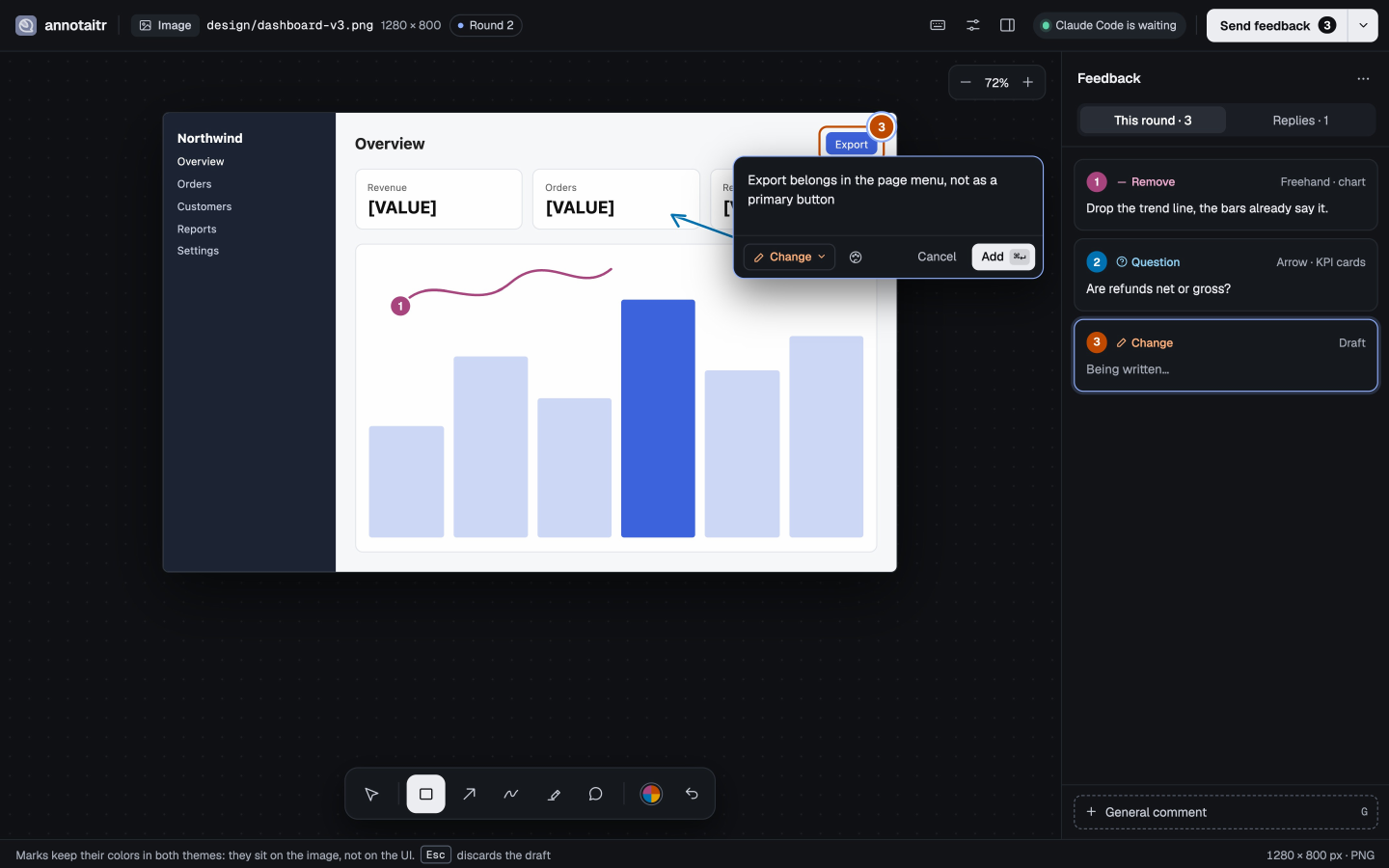
Boxes, arrows, freehand, highlighter and numbered pins on a screenshot, the clipboard or a PDF page. Light and dark theme, with marks that stay readable on any image.
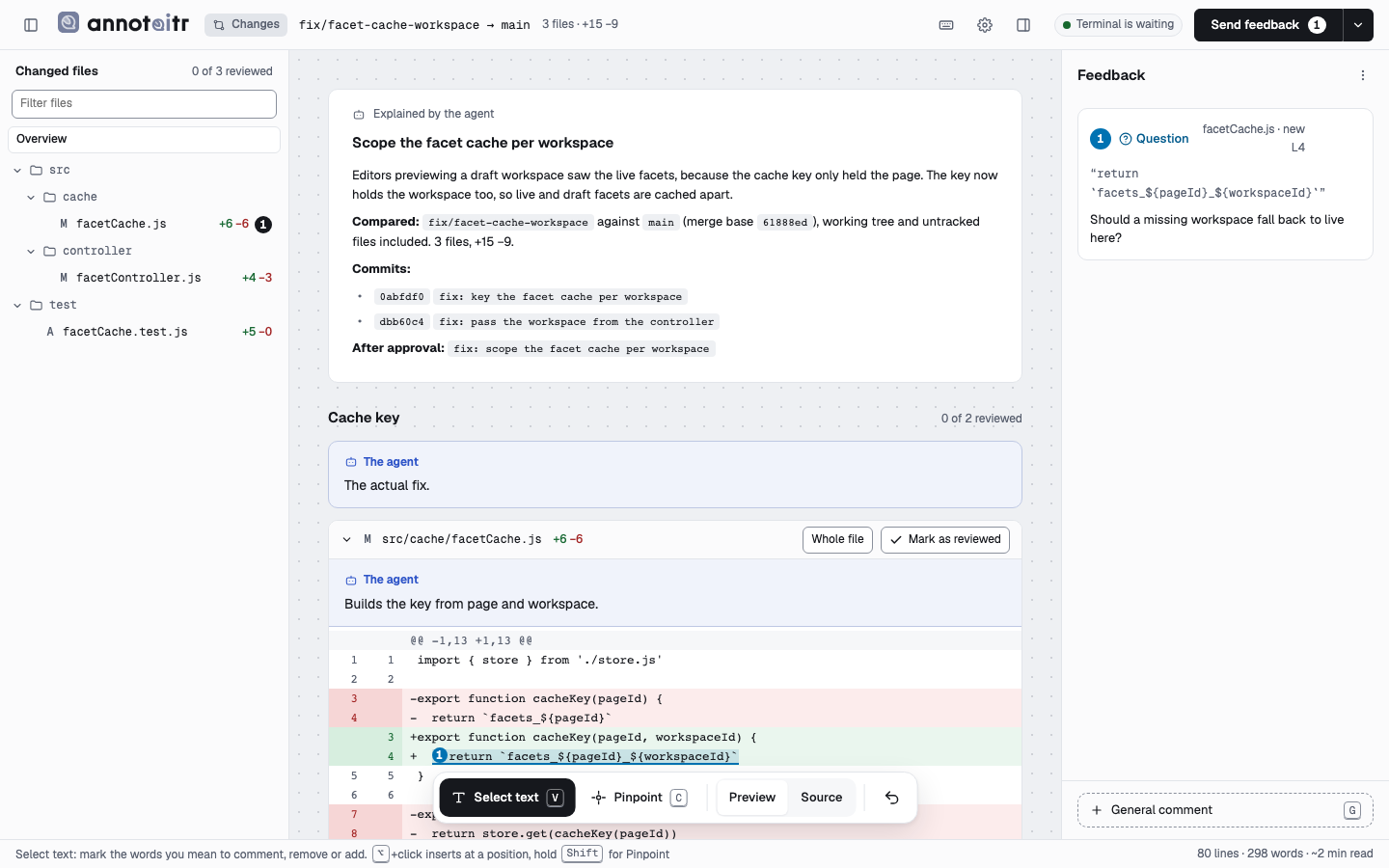
The agent presents its uncommitted changes, or a whole branch against its base, laid out like a pull request: an overview with the proposed commit message, the changed files as a tree and one card per file with the agent's explanation. A note on a diff line names the file and its line. Approve, and the agent commits.
Your notes arrive as text, each with its number, your words and a plain-language position. The marked-up image is saved next to it, so the agent can match both.
Approve with nothing to change, or approve with notes that are only context. The agent knows the difference.
2 annotations on the screenshot.

### 1. [#a3f19c2e] Boxed area: top left
Make the title shorter.

### 3. [#7b210e44] Comment pin: bottom right
Are refunds net or gross?
Needs Node.js 22.13 or newer. Web page capture also needs a Chromium build for Playwright: npx playwright install chromium.
Everything: images, web pages, video, PDF, Markdown and the changes walkthrough. The installer script sets it up, or add the plugin by hand.
Setup stepsannotaitr serves its UI from localhost and prints your decision to the terminal that started it. Its fonts are bundled, there is no tracking and no account.